Available either online or onsite, our instructor-led live 3D Graphics (3D Computer Graphics or Three-Dimensional Computer Graphics) training courses combine interactive discussion with hands-on practice. This approach demonstrates how to effectively utilize 3D Graphics for performing calculations and rendering 2D images.
3D Graphics training is offered as "online live training" or "onsite live training". Online live training, also known as "remote live training", is conducted via an interactive remote desktop. Onsite live training takes place locally at customer premises in Sofia or within NobleProg corporate training centers in Sofia.
NobleProg -- Your Local Training Provider
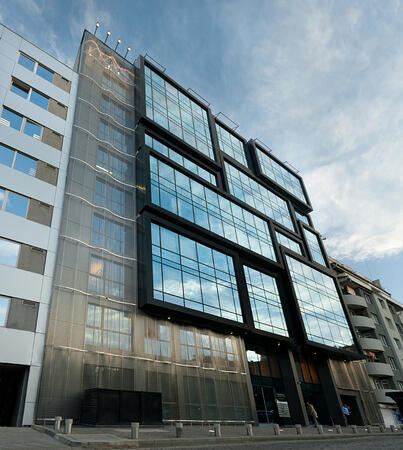
Crystal Business Center
ул. "Осогово" 40, Sofia, Bulgaria, 1303
Crystal Business Center is located in the central part of Sofia, on the corner of "Osogovo" street. and "Todor Aleksandrov" blvd. The building is easily accessible by metro (only 50 m from Opalchenska station) and other public transport. Its total area is 8000 sq.m. The office area is 6171 sq.m.
This instructor-led, live training in Sofia (online or onsite) is aimed at artists, game developers, or complete beginners who wish to use Blender to create 3D models for interactive applications, video games, animated films, etc.
By the end of this training, participants will be able to:
Learn how to create animations and visual effects with Blender.
Add curves, surfaces, metaballs, and hair particles to simulate realistic 3D motions.
Introduction to non-destructive modelling and animation.
Export 3D models and assets to a game engine, 3D printer, or other software.
This instructor-led live training in Sofia (online or onsite) targets artists, game developers, or complete beginners who wish to use Blender to create 3D models for interactive applications, video games, animated films, etc.
By the end of this training, participants will be able to:
Understand the principles and core concepts of 3D modeling.
Explore a variety of modes and tools for modeling and editing 3D meshes.
Use the tools for UV mapping/unwrapping, sculpting, and painting 3D models renderring.
This live, instructor-led training in Sofia focuses on the essentials of Psdto3D101 for lenticular design. Learners will master the creation of 3D, flip, morph, and motion effects, along with file optimization for professional printing, through a blend of interactive lectures and hands-on practical exercises.
This instructor-led, live training in Sofia (online or onsite) is aimed at artists, game developers, or complete beginners who wish to use Blender to create 3D models for interactive applications, video games, animated films, etc.
By the end of this training, participants will be able to:
Understand the principles and core concepts of 3D modeling.
Explore a variety of modes and tools for modeling and editing 3D meshes.
Learn how to create animations and visual effects with Blender.
Add curves, surfaces, metaballs, and hair particles to simulate realistic 3D motions.
Use the tools for UV mapping/unwrapping, sculpting, and painting 3D models.
Export 3D models and assets to a game engine, 3D printer, or other software.
This instructor-led, live training in Sofia (online or onsite) is aimed at beginner-level to advanced-level 3D design and 3D printing enthusiasts who wish to use Fusion 360 to design, simulate, and prepare models for 3D printing.
By the end of this training, participants will be able to:
Install and configure Fusion 360 for optimal performance.
Design, model, and simulate 3D objects in a unified environment.
Optimize and prepare designs for the 3D printing process.
Collaborate and share their designs using Fusion 360's cloud capabilities.
Participate in this hands-on training in Sofia to gain proficiency with FreeCAD, an open-source parametric 3D modeler. You will learn to design practical objects for construction or 3D printing, export to formats such as STEP and STL, and streamline workflows using Python. This course is ideal for designers and engineers.
Read more...
Last Updated:
Testimonials (1)
the point that Huba took the time to sit with me as the lesser knowledgeable of the application and go through each part and explain where i had gone wrong and how to correct the issue
Online 3D Graphics training in Sofia, Three-Dimensional Graphics training courses in Sofia, Weekend Three-Dimensional Graphics courses in Sofia, Evening Three-Dimensional Computer Graphics training in Sofia, 3D Graphics instructor-led in Sofia, Three-Dimensional Graphics one on one training in Sofia, Three-Dimensional Graphics private courses in Sofia, Three-Dimensional Graphics boot camp in Sofia, Evening Three-Dimensional Graphics courses in Sofia, Three-Dimensional Computer Graphics trainer in Sofia, Three-Dimensional Computer Graphics instructor-led in Sofia, 3D Graphics instructor in Sofia, Weekend Three-Dimensional Graphics training in Sofia, 3D Computer Graphics coaching in Sofia, Three-Dimensional Graphics classes in Sofia, Online Three-Dimensional Graphics training in Sofia, 3D Graphics on-site in Sofia