These instructor-led live training courses in 3D Graphics (also known as 3D Computer Graphics or Three-Dimensional Computer Graphics) can be attended online or onsite. Through interactive discussions and practical exercises, participants learn how to utilize 3D graphics for performing calculations and rendering 2D images.
The training is available in two formats: "online live training" and "onsite live training". Online live training, also referred to as "remote live training", is conducted via an interactive remote desktop. Onsite live training can take place locally at the customer's premises in Varna or at NobleProg's corporate training centers in Varna.
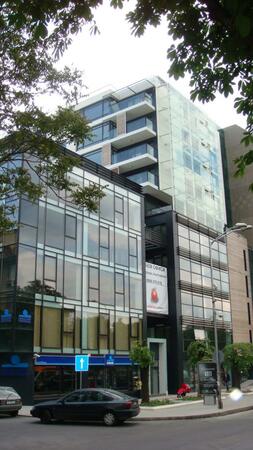
The "Central Point" complex offers quick access to main roads leading to the airport, the northern and southern resorts and the Varna - Sofia and Varna - Burgas highways.
This instructor-led, live training in Varna (online or onsite) is aimed at artists, game developers, or complete beginners who wish to use Blender to create 3D models for interactive applications, video games, animated films, etc.
By the end of this training, participants will be able to:
Learn how to create animations and visual effects with Blender.
Add curves, surfaces, metaballs, and hair particles to simulate realistic 3D motions.
Introduction to non-destructive modelling and animation.
Export 3D models and assets to a game engine, 3D printer, or other software.
This instructor-led live training in Varna (online or onsite) targets artists, game developers, or complete beginners who wish to use Blender to create 3D models for interactive applications, video games, animated films, etc.
By the end of this training, participants will be able to:
Understand the principles and core concepts of 3D modeling.
Explore a variety of modes and tools for modeling and editing 3D meshes.
Use the tools for UV mapping/unwrapping, sculpting, and painting 3D models renderring.
Psdto3D101 is a specialized software tool designed for creating lenticular files with 3D effects, flip, morph, and motion designs. This course provides participants with the knowledge and practical skills to manage and apply Psdto3D101 for producing professional lenticular outputs, covering both management and creative aspects of the software.
This instructor-led, live training (online or onsite) is aimed at beginner-level to intermediate-level graphic and print professionals who wish to create, manage, and optimize lenticular files using Psdto3D101 software.
By the end of this training, participants will be able to:
Understand the fundamentals of lenticular printing and design.
Navigate and configure Psdto3D101 for different project types.
Create 3D, flip, and motion effects using layers and sequences.
Export and prepare lenticular files for professional printing.
Format of the Course
Interactive lecture and discussion.
Practical exercises using Psdto3D101 software.
Hands-on implementation in a live-lab environment.
Course Customization Options
To request a customized training for this course, please contact us to arrange.
This instructor-led, live training in Varna (online or onsite) is aimed at artists, game developers, or complete beginners who wish to use Blender to create 3D models for interactive applications, video games, animated films, etc.
By the end of this training, participants will be able to:
Understand the principles and core concepts of 3D modeling.
Explore a variety of modes and tools for modeling and editing 3D meshes.
Learn how to create animations and visual effects with Blender.
Add curves, surfaces, metaballs, and hair particles to simulate realistic 3D motions.
Use the tools for UV mapping/unwrapping, sculpting, and painting 3D models.
Export 3D models and assets to a game engine, 3D printer, or other software.
This instructor-led, live training in Varna (online or onsite) is aimed at beginner-level to advanced-level 3D design and 3D printing enthusiasts who wish to use Fusion 360 to design, simulate, and prepare models for 3D printing.
By the end of this training, participants will be able to:
Install and configure Fusion 360 for optimal performance.
Design, model, and simulate 3D objects in a unified environment.
Optimize and prepare designs for the 3D printing process.
Collaborate and share their designs using Fusion 360's cloud capabilities.
FreeCAD is a customizable, multi-platform, open-source, and extensible parametric 3D modeling tool designed for creating real-world objects.
In this instructor-led live training, attendees will learn how to create 3D models suitable for later manufacturing or 3D printing.
By the end of this training, attendees will be able to:
Use FreeCAD's tools and workflows as a substitute for commercial CAD or BIM software
Export designs to various formats, including STEP, IGES, STL, SVG, DXF, OBJ, IFC, DAE, and more
Extend FreeCAD's functionality using Python
Automate FreeCAD, build modules, and embed FreeCAD into existing applications
Audience
Designers
Developers
Mechanical engineers
Course Format
A mix of lectures, discussions, exercises, and extensive hands-on practice
Read more...
Last Updated:
Testimonials (1)
the point that Huba took the time to sit with me as the lesser knowledgeable of the application and go through each part and explain where i had gone wrong and how to correct the issue
Online 3D Computer Graphics training in Varna, 3D Computer Graphics training courses in Varna, Weekend Three-Dimensional Computer Graphics courses in Varna, Evening 3D Graphics training in Varna, 3D Graphics instructor-led in Varna, 3D Graphics instructor-led in Varna, 3D Graphics classes in Varna, Three-Dimensional Graphics instructor in Varna, Three-Dimensional Graphics trainer in Varna, 3D Graphics private courses in Varna, Evening Three-Dimensional Graphics courses in Varna, 3D Computer Graphics coaching in Varna, Online Three-Dimensional Graphics training in Varna, Three-Dimensional Computer Graphics on-site in Varna, 3D Computer Graphics one on one training in Varna, 3D Computer Graphics boot camp in Varna, Weekend 3D Graphics training in Varna